With Octopus, you can deploy software to:
- Kubernetes
- Windows
- Linux
- Azure
- AWS
- Offline package drop
- Cloud region
Regardless of where you’re deploying your software, these machines and services are known as your deployment targets.
Add deployment target
-
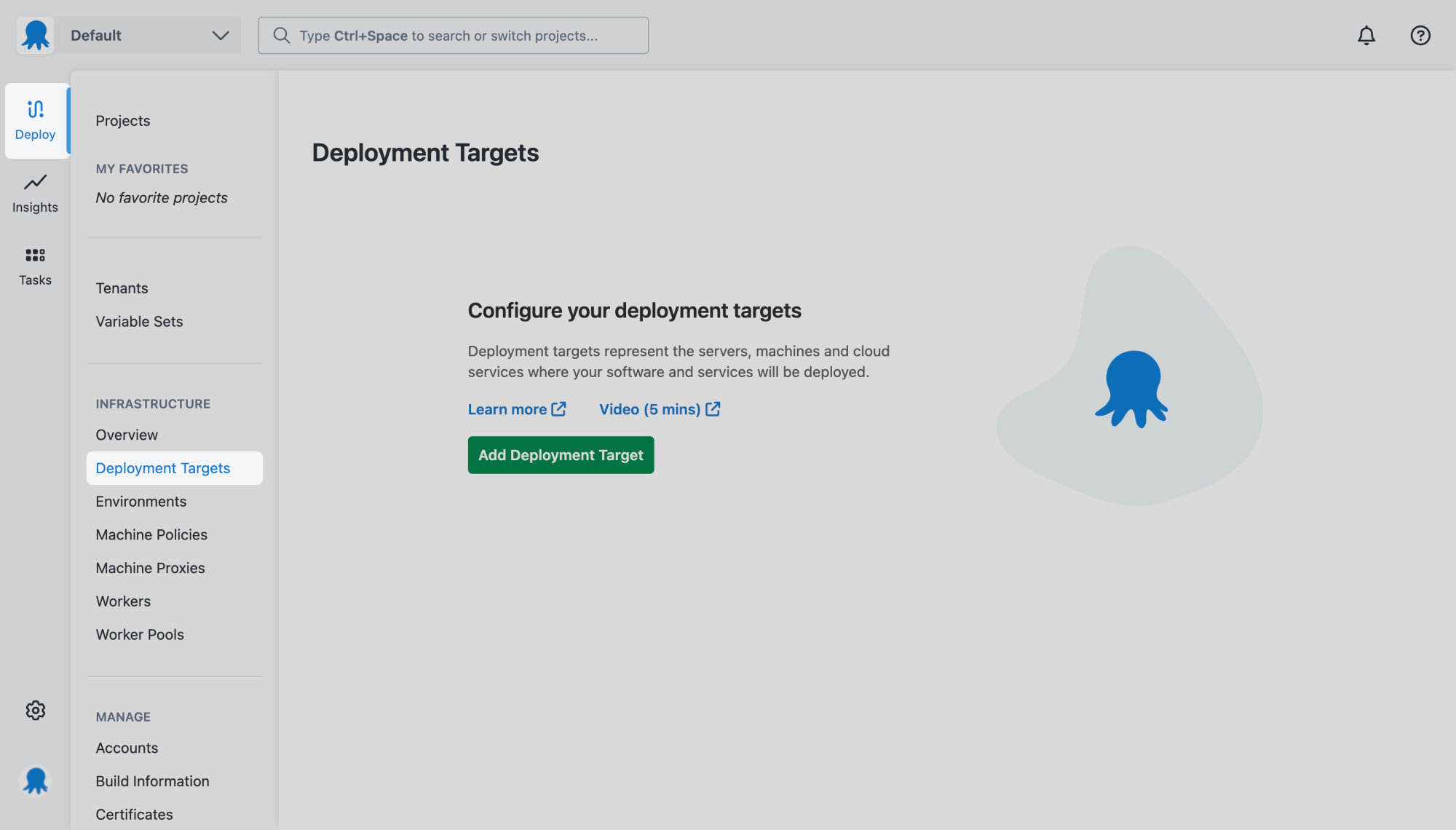
From the left Deploy menu, click Deployment Targets.
-
Click Add Deployment Target.
-
Use the category tabs to filter by deployment target type.
-
Click Add on the deployment target you want to add.
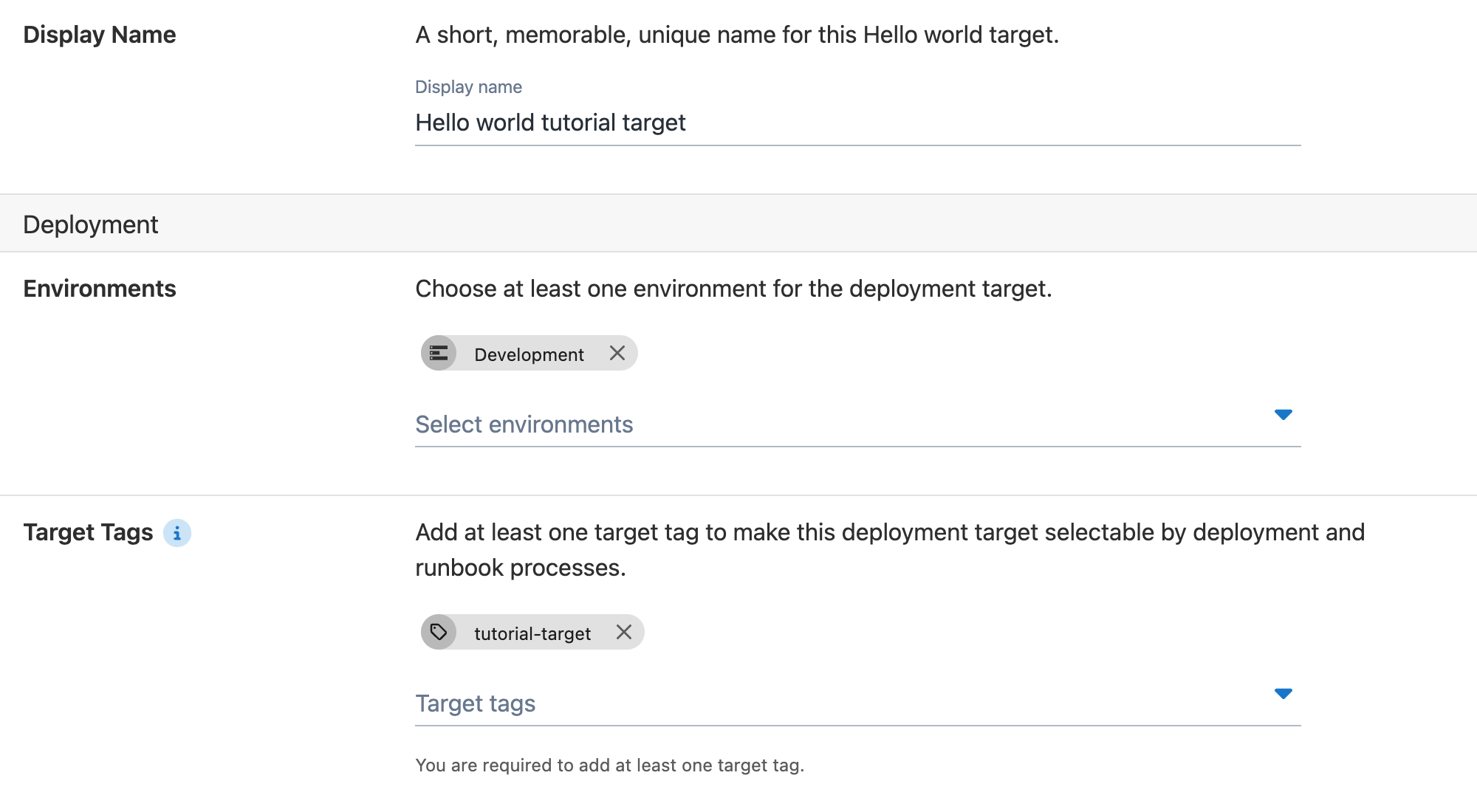
Name - Give your deployment target a descriptive name, for example,
Hello world tutorial target.Environments - We’ll scope this deployment target to one environment. Later, you can add additional targets and scope them to your other environments. -
Select Development from the Environments dropdown list.
Target Tags - Octopus uses target tags to select which deployment target a project should deploy to. Later, you’ll add the same target tag to your deployment process. You can deploy to multiple targets simply by adding this tag.
-
Add a new target tag by typing it into the field. For this example, we’ll use
tutorial-target.
Fill in the other sections of the deployment target form. If you need guidance, please refer to the relevant documentation:
Next, let’s deploy a sample package to your deployment target.
All guides in this tutorial series
- First deployment
- Define and use variables
- Approvals with manual interventions
- Add deployment targets (this page)
- Deploy a sample package
Further reading for deployment targets
Help us continuously improve
Please let us know if you have any feedback about this page.
Page updated on Tuesday, January 7, 2025